
%201.svg)


How to Use an Exterior Paint Visualizer the Right Way Before Painting Your Home

Key Takeaway
An exterior paint visualizer lets you upload a photo of your home and preview siding, trim, door, and shutter colors before buying a single gallon of paint. Use it to narrow your choices to one to three color schemes, then confirm with physical samples on the actual surface. Surface prep and repairs matter as much as the color you choose for a durable, lasting result.
What Is an Exterior Paint Visualization Tool?
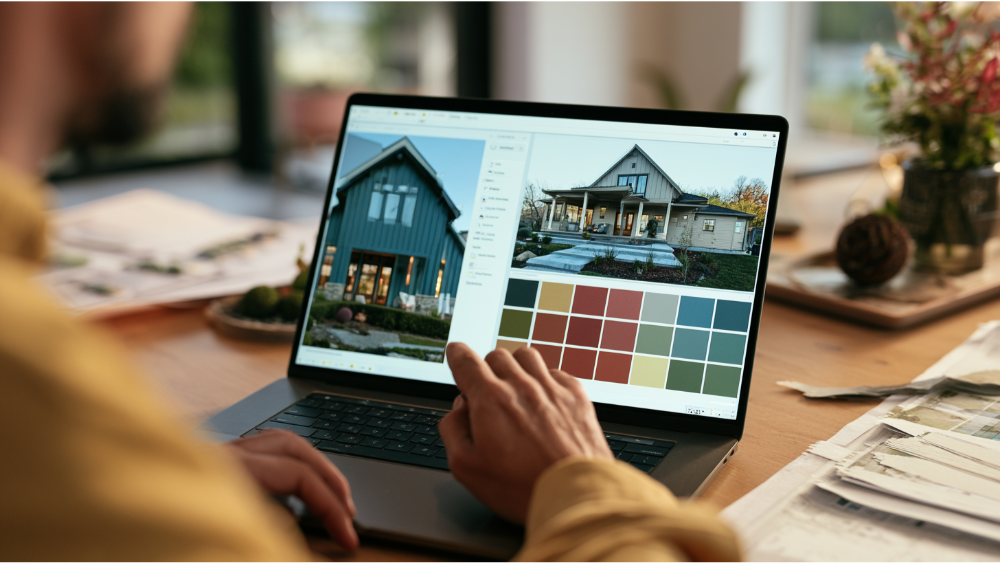
An exterior paint visualizer is an app that lets you upload a photo of your house and preview different colors on siding, trim, doors, and shutters before you buy a single gallon. Instead of guessing from a tiny paint chip, you see a color scheme on your actual facade in seconds. That takes a lot of the anxiety out of choosing a paint color, and it helps you avoid a costly mistake before you commit.
Here's the honest part we tell homeowners around Edgewood and the greater Seattle-Tacoma area: a color visualizer is great for narrowing your options, not for final approval. Two ideas run through this whole guide. First, treat it as a shortlisting tool for exterior paint colors. Second, remember that a clean, long-lasting result comes from prep and process, not just the paint color you pick on a screen.
What Can an Exterior Paint Visualizer Help You Decide?
A good color visualizer lets you test each part of your exterior independently, so you can see how the pieces work together instead of judging one flat color. Many apps automatically recognize and separate architectural elements, and the better ones keep fixed materials like the roof and brickwork in view so you can read the full palette. Some let you drag a paint sample onto a specific element, then drop it into position so the color lands exactly where you want.
Surfaces you can usually try include:
- Main body / siding and walls
- Trim and fascia, including white trim
- Front door
- Shutters, such as bold black shutters
- Garage doors
- Accents, fences, and outbuildings
A balanced scheme usually lands on about three colors: a body color, a trim color, and an accent. Cycling through combinations digitally saves hours you'd otherwise spend holding chips against the wall and squinting. If a tool uses a draggable item to place color, you can reposition it, and pressing escape usually lets you cancel a change and start that spot over.
Working With the Controls: Drag, Drop, and the Space Bar

Most visualizers share a similar set of controls once you upload your image. You click or tap a surface, choose a color, and the tool fills that space. In tools that support keyboard controls, you can press space to grab a draggable item, move it, then press space again to drop it in a new position. Pressing the space bar is often how the drag mode gets activated in the first place.
If you make a mistake while dragging, press escape to cancel and the element returns to its original position. Getting comfortable with drag and drop makes the paint visualization feel far less fiddly on any device. The goal is a clean image of your house that shows real colors in place, not a messy mock-up you have to fight with.
What Exterior Paint Visualization Cannot Guarantee
Digital color is not the same as real paint on a real surface. Leading paint brands say this plainly: actual paint color may vary from what you see on screen, and they recommend confirming with a physical sample. Companies like Sherwin Williams and Benjamin Moore publish digital colors with the same caveat. Phone cameras handle light differently, screens shift color, and neither can fully account for shadows or full sun.
Surface texture and sheen change how a color reads too. A shade that looks calm at noon can go dark and moody at dusk, and lighting makes a real difference from one hour to the next. The same beige can feel warm on smooth siding and cooler on rough cedar. So use the tool to narrow, not to decide. Every preview is an approximation, and the real test happens on the house itself.
How to Take a Better Photo for the Visualizer
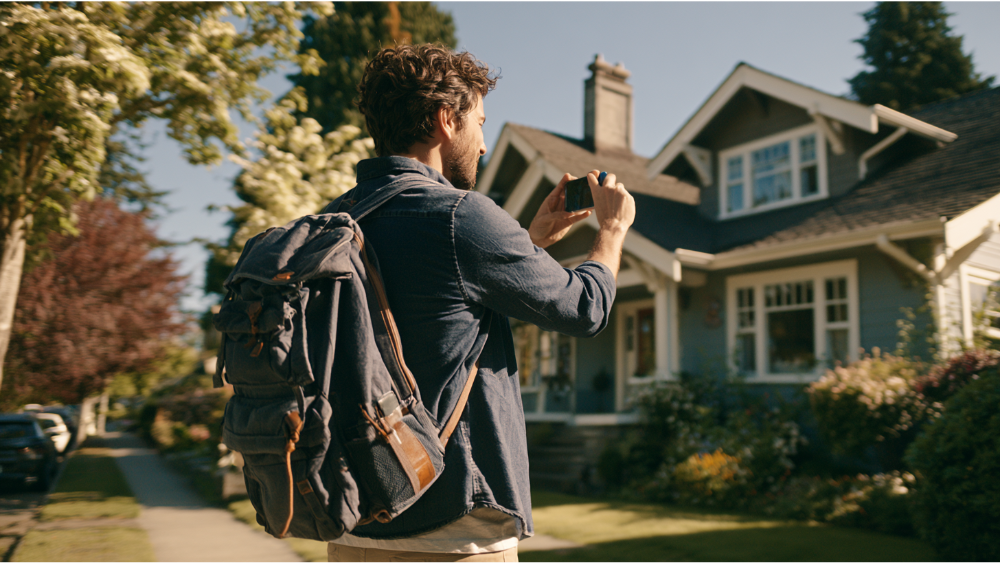
Cleaner input means better surface detection and a more realistic image. Spend two minutes getting the photograph right:
- Shoot straight on from the front, not at a steep angle.
- Use natural daylight, ideally with even, soft light.
- Avoid heavy shadows, glare, and rain.
- Keep the roof, brick, stone, and landscaping in frame.
- Use the highest resolution your phone allows.
The fixed materials matter because they anchor the whole palette. If the tool can't read your roof or your stone in the photo, you can't judge whether your new exterior colors actually work with them.
How to Explore Color Inspiration and Choose Exterior Colors
Start with what you can't change. Your roof, brick, and stone set the temperature of your palette, so pick body and trim colors that agree with them rather than fight them. Mixing warm and cool tones on the same house tends to create visual discord, so choose a lane and stay in it. Browsing a few real homes is a simple way to explore color inspiration paint ideas that fit your architecture.
On trends: neutral shades like gray and beige remain safe and support resale value. Dark, modern exteriors have moved firmly into the mainstream, and nature-inspired earthy tones are popular right now. A deep blue body with crisp white trim and black accents reads as classic. Creamy whites and muted greens are timeless if you'd rather not chase a trend. When you virtually paint your home, aim for roughly three colors and stop there. A good front door color can carry a lot of the personality without overwhelming the facade, so when you start visualizing, treat the door as your chance to have some fun with color options.
A quick word on LRV
LRV stands for Light Reflectance Value, a number from 0 to 100. A value near 0 absorbs light, and a value near 100 reflects it. It's a fast way to compare how light or dark a color will feel across a big siding space, which matters a lot in strong sun. A low-LRV color can look dramatic in a small swatch and much heavier once it covers a whole wall.
Do You Still Need Physical Paint Samples?

Yes. The visualizer gets you down to one to three schemes. Physical samples make the final call. Paint real test patches on your actual siding and trim, then look at them in morning light, at midday, and in the evening. Different colors shift noticeably from day to night, and only the real surface tells the truth.
While you're at it, hold the samples up against your roof and any masonry. Use the color visualizer to narrow the decision. Use samples to make the decision.
Before You Fall in Love With a Color, Check the Surface
Color means nothing if the surface can't hold the paint. Exterior paint is protection against water, sun, and weathering as much as it is appearance, and the U.S. Forest Products Laboratory notes that for outdoor wood, protection is technically the most important job the finish does. A beautiful color over a failing surface just fails in a prettier shade.
Before you get attached to a scheme, walk the house exterior and look for:
- Peeling, cracking, or chalking paint
- Cracked or failed caulk
- Mildew and trapped moisture
- Bare wood, damaged siding, and rot
- Loose or failing trim
A properly prepared surface is clean, solid, and dry. That means scraping and sanding loose paint back to a sound surface and repairing cracks and holes before any paint goes on. Weather matters too: manufacturers generally warn against painting below 50°F or right after rain unless the product is designed for those conditions, because the film needs the right temperature and dryness to cure. When we find rot or damaged siding, we handle the rot repair, siding repair, and carpentry with the same team, so you're not juggling separate contractors before the painting can start.
Older Homes: Why Lead-Safe Prep Matters
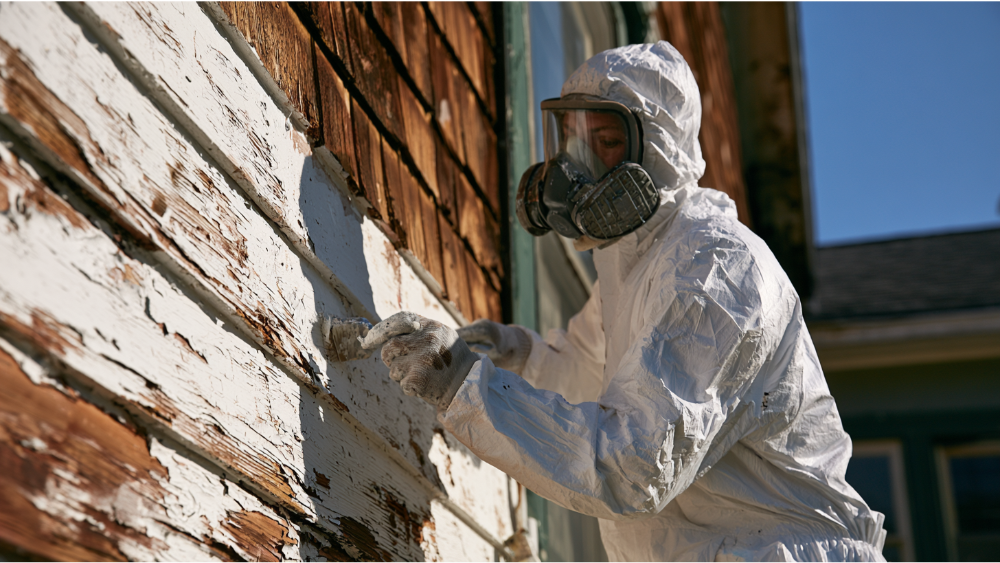
If your home was built before 1978, it may have lead-based paint, and scraping or sanding can disturb it. The EPA's Renovation, Repair and Painting Rule requires certified firms when paid work disturbs paint in pre-1978 homes. The minor-repair exemption is narrow, limited to 6 square feet or less inside a room and 20 square feet or less outside, with exceptions like window replacement.
Cover Pro Painting is EPA Lead-Safe (RRP) Certified, so older homes get the containment and cleanup they need. This isn't about fear. It's about doing the prep correctly when the surface has history.
When a Color Consultation Helps
A visualizer plus real samples plus an experienced eye takes the guesswork out of the final choice, whether the job is interior or exterior. An experienced painter can match a palette to your home's architecture, your roof, and the character of your street. If you answer to an HOA board, a consultation also helps you land on colors likely to get approved the first time. Every Cover Pro Painting project includes a free color consultation, so you're not making this call alone.
From Visualizer to Estimate: What to Ask Your Painter

Once you have a shortlist, the conversation shifts from color to craftsmanship. Homeowners rank painting exterior siding highly for satisfaction, with a Joy Score of 8.8 in the NAR 2025 Remodeling Impact Report, but that payoff depends on the work being done right. Here are the details to ask about and what to expect:
- What surface prep is included?
- How are repairs like rot, siding, and trim handled?
- What paint products do you use, and what's the warranty?
- What's the timeline for projects like mine, and what can change it?
- How will we communicate from start to finish?
- Which surfaces are in scope?
We don't post fixed prices because every home and scope is different, but you'll always get a clear, transparent estimate before work begins. That number should never be a surprise.
Is there an app to see what your house exterior would look like painted?
Yes. Several browser and app-based tools let you upload a house photo and preview colors. Quality and surface detection vary, so a professional tool usually gives a cleaner preview than a basic app.
Can I upload a picture of my house and try paint colors?
Yes, that's the core function. Use a clear daylight photo for the best results, and you can test siding, trim, and door colors independently to see how the palette works together in one space.
What is the best exterior paint visualizer?
There's no single best one. Pick a tool with accurate surface detection, independent element coloring, and the ability to save and share your project. Whatever you use, confirm the final paint color with physical samples.
Is there a free AI paint visualizer available?
Yes, free tiers exist, though features change often. Free tools are fine for shortlisting exterior paint colors, but a professional's eye and real samples are what make the final call.
Start With a Free Estimate
Think of the visualizer as one smart planning step inside a complete exterior painting process. Real samples, expert color judgment, proper surface prep, and fixing the surface before paint goes on are what deliver durable, long-lasting results and bring your vision to life. We handle the painting, the rot repair, and the siding, so the whole project stays under one roof.
Based in Edgewood and serving the greater Seattle-Tacoma area, we'll walk your project and give you a clear scope so you know what's involved before work begins. First-time customers get 10% off, and 0% APR financing is available. Call 206-222-0435 to Get a Free Estimate. Don't see your city listed? Contact us to confirm service availability.
